Don't take anyone's word for it.
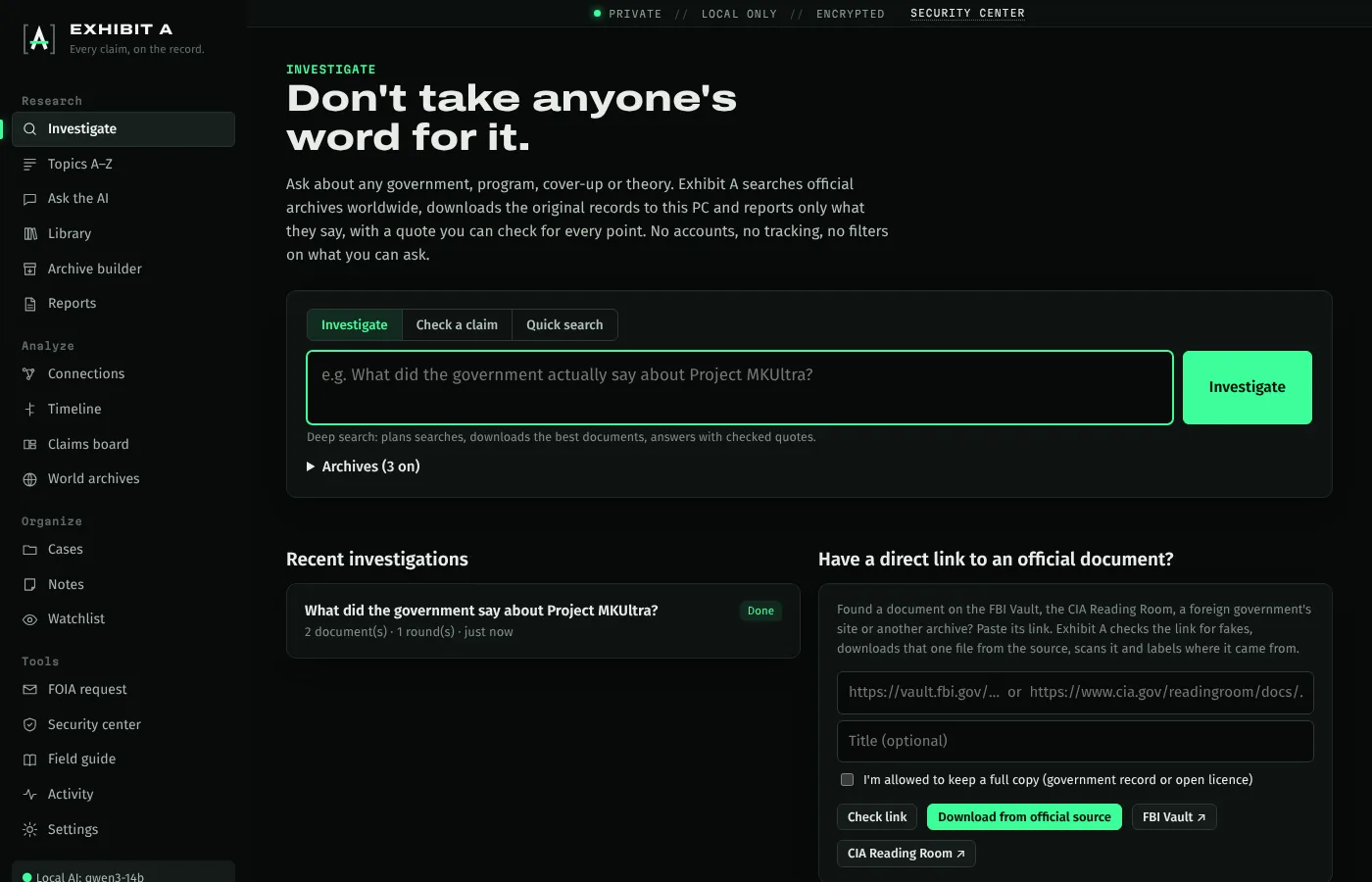
Exhibit A pulls original government records straight from official archives onto your PC. A private AI then tells you only what those records say, with the exact quote and page for every point.
No account. No tracking. No ads. Your searches go straight to the archives, and your documents never leave your PC.
query operation northwoods
- GovInfo
- National Archives Catalog
- National Security Archive
- Internet Archive
finding
In 1962 the Joint Chiefs of Staff proposed staging attacks that would be blamed on Cuba.
Documented“We could develop a Communist Cuban terror campaign in the Miami area, in other Florida cities and even in Washington.”
Joint Chiefs of Staff, “Justification for US Military Intervention in Cuba,” 13 March 1962, Annex to Appendix to Enclosure A, p. 8
The plan, Operation Northwoods, was never carried out.
How it works
-
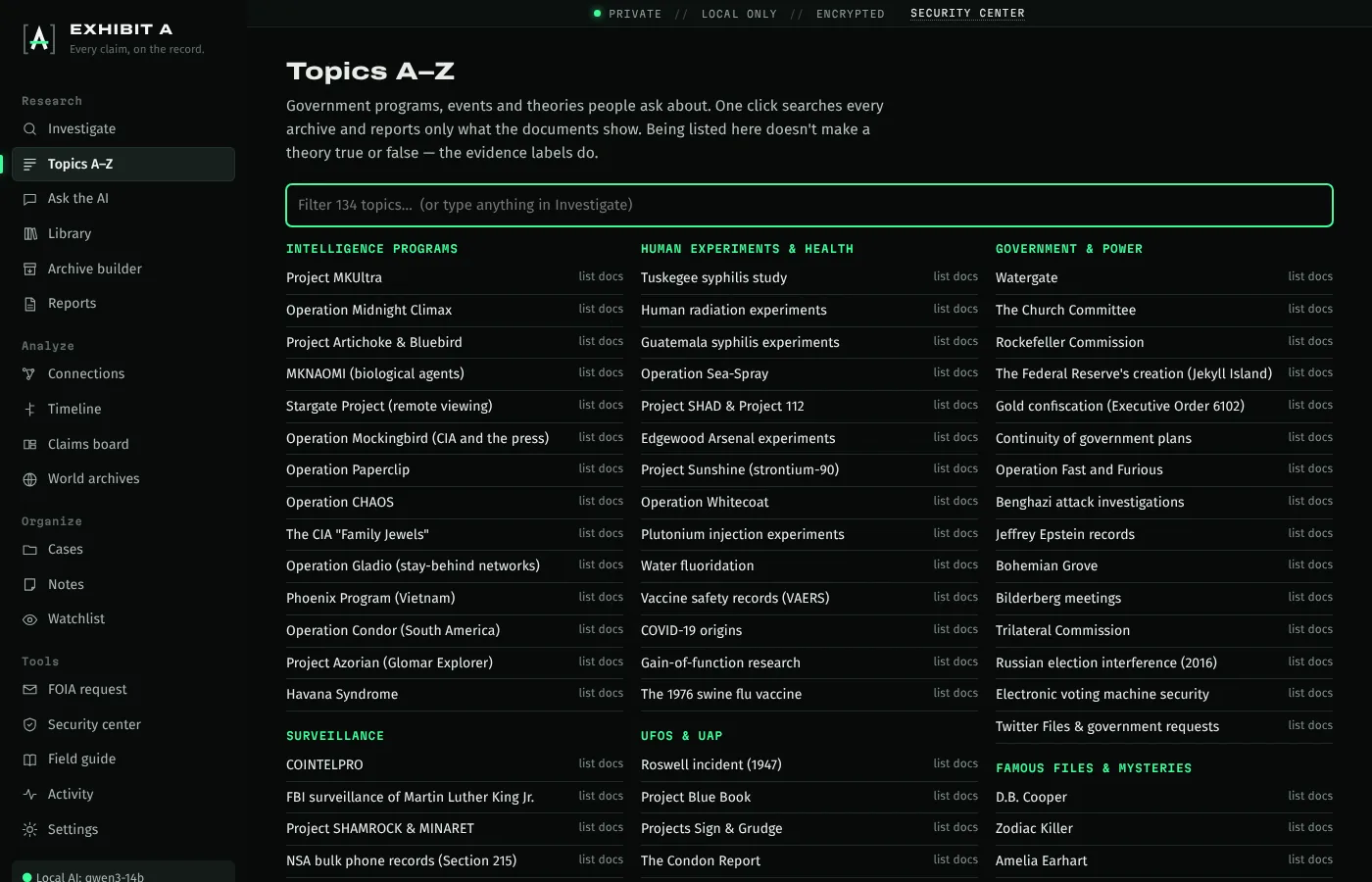
Ask anything
A government program, an event, a theory or a single claim. There's no filter on what you can ask.
-
It pulls the originals
Exhibit A plans its own searches across national archives, congressional records, court filings and declassified collections. It downloads the best records to your PC and reads scanned pages with OCR.
-
It reports only what they say
A local AI writes the answer, and every point is checked against a quote from the records. Each point is labelled Documented Disputed or No evidence found
No source, no claim. If the records don't say it, neither does Exhibit A.
Built for people who check
- Deep search, by default
- Plans searches, reads the records, writes a cited answer and suggests leads. “Go deeper” runs another round on what it found.
- A private AI you can talk to
- Ask follow-up questions about your documents. The AI runs on your own graphics card through LM Studio, and Exhibit A suggests a model that fits your PC.
- Check a claim
- Paste any statement. Exhibit A finds what the records say for and against it, then gives a verdict with the quotes.
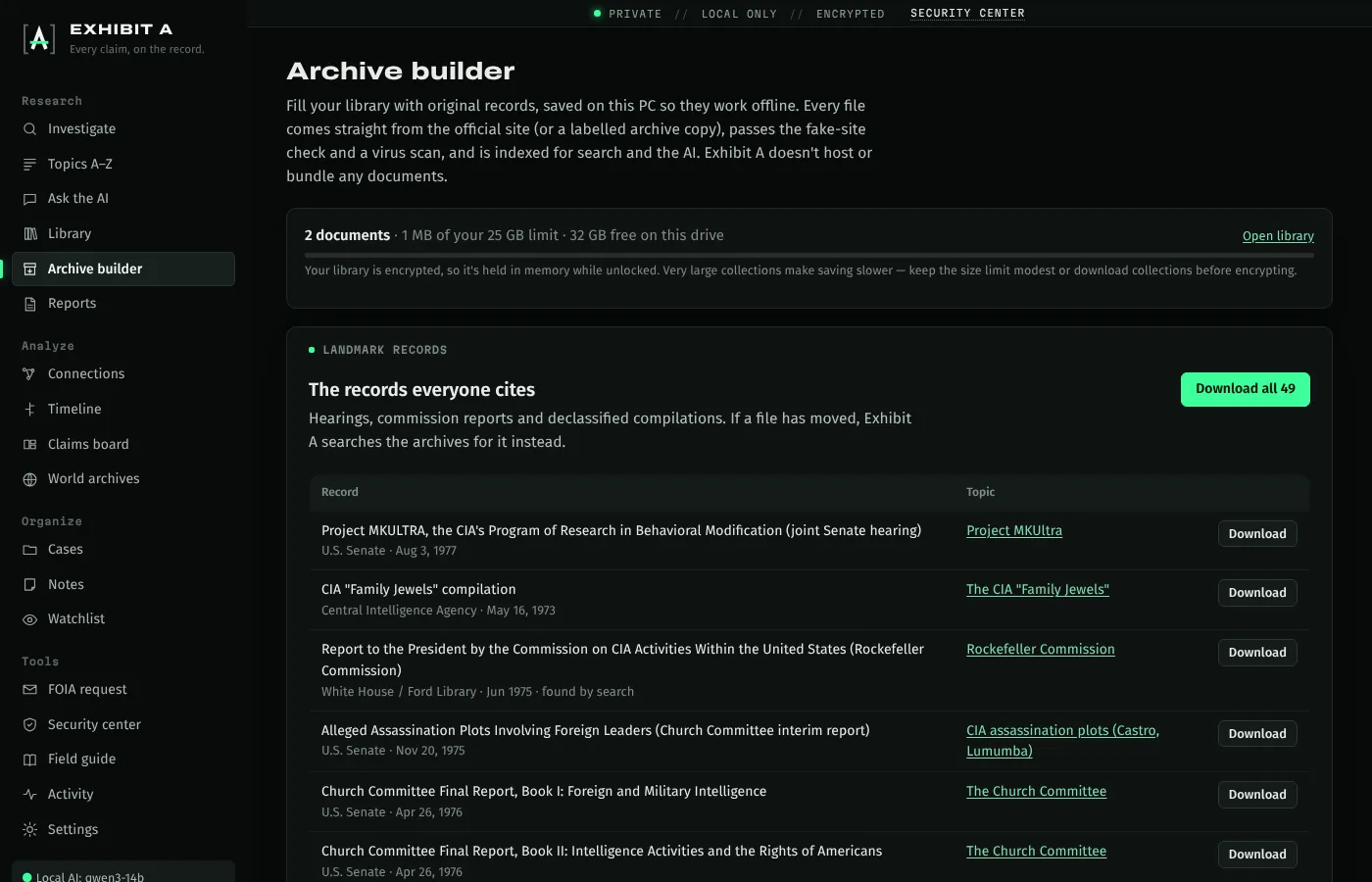
- Archive builder
- Downloads 49 landmark records, whole official releases such as the DOJ Epstein Library and the National Archives' JFK, RFK and MLK files, or everything for every topic.
- Declassification profile
- Finds FOIA exemption codes, classification markings, CIA release stamps and redactions in every document.
- Connections and timeline
- Shows which officials, agencies and codenames appear on the same pages, and when. Each one links to the page that proves it.
- Every country
- Finds the government, parliament and national archives of every nation, and checks each link before you open it.
- FOIA letters
- Writes a ready-to-send Freedom of Information Act request for the records that aren't out yet.
Where it looks
- GovInfo
- Federal Register
- National Archives Catalog
- Library of Congress
- Chronicling America
- Congress.gov
- CourtListener · RECAP
- DOE OSTI
- NASA NTRS
- Internet Archive
- Wayback Machine
- DocumentCloud
- UK National Archives
- FBI Vault ↗
- CIA Reading Room ↗
- AARO ↗
- NSA ↗
- UN Digital Library ↗
Every document is labelled by where it came from: Official (the government's own site), Archive copy (a known archive), Unverified (a third-party upload) or Leaked (only if you switch leak sites on).
Private by design
- Runs only on your PC. The app is closed to other devices and other programs.
- The AI stays on your PC. Your documents and questions go only to the local AI.
- Locked library. Optional AES-256 encryption for your documents, notes and history, with auto-lock.
- Checked downloads. Fake look-alike sites are blocked, and Microsoft Defender scans every file before it opens.
- Offline mode. Cut the app off from the internet. Your library and the AI keep working.
- Nothing hidden. A network log lists every site the app has contacted. Updates are verified and can be rolled back.
Install in three steps
- Download Exhibit A and unzip it somewhere you'll keep it, such as Documents.
- Double-click
Setup.bat. It installs anything that's missing, asking you first: Python, LM Studio for the private AI, the AI model that suits your PC, and a reader for scanned pages. All free, all from their official sources. - Open Exhibit A from your desktop.
Windows may warn that the files are from an unknown publisher. Right-click the ZIP, choose Properties and tick Unblock before unzipping, or click More info → Run anyway. To confirm your copy is genuine, compare its SHA-256 fingerprint with the one below.
SHA-256d16d8ab7ea394bd3153387ee937fbff8118ab78f124c4c791fe420b5c8133212
Questions
Is it really free?
Yes. The app and everything it uses are free, including the archives, LM Studio and the AI models. There's nothing to buy and no account.
Is the AI censored?
You can ask about anything. The AI is held to one rule: it reports what the documents say, with the quote. It won't invent a source, and it labels a point “No evidence found” when the records don't support it.
Does it work without internet?
Searching the archives needs internet. Everything you've downloaded, the AI and your notes work offline. The Archive builder can save thousands of records ahead of time.
What kind of PC do I need?
Windows 10 or 11. Any PC can search and read records. For the AI, 8 GB of memory runs a small model, and a graphics card with 12–16 GB runs a strong one.
What about leaked documents?
They're off by default. You can switch on WikiLeaks, DDoSecrets and Cryptome, and everything from them is labelled “Leaked”. Leaked material isn't officially released or verified and may still be classified. Reading it is a legal gray area, and people with a security clearance are told not to open it.
How do updates work?
The app checks this site for a new version every 12 hours. It checks the new version's fingerprint and every file before installing, and installs only when you next start the app. You can turn updates off, or roll one back, in Settings.